Manitoba Time Change
Effective November 1, 2026, Manitoba will no longer observe seasonal time changes and will remain on the same time year-round. Devices configured to automatically adjust for Daylight Saving Time (DST) may require configuration changes to ensure the correct date and time are maintained. Follow the instructions below to update your device settings.
Before you begin
Before making any changes, verify the current date and time displayed on the device.
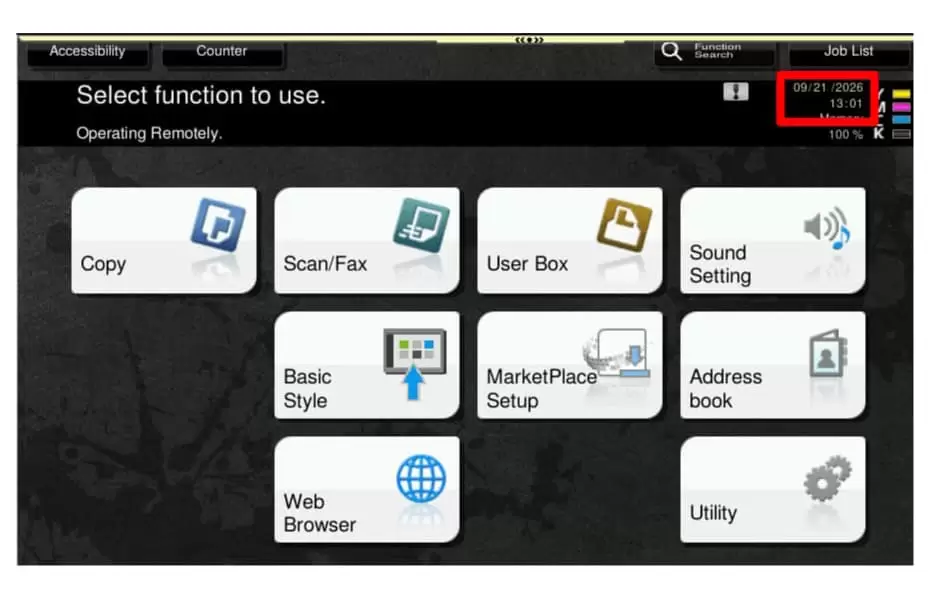
If the displayed time is correct:
Complete Configure Daylight Savings Time (DST) and no further action is required.
If the displayed time is incorrect:
Complete Configure Daylight Savings Time (DST), then follow either Manual Configuration or Automatic Time Synchronization (NTP) to correct the device time.
Step 1: Access admin mode
Administrator access is required to perform the procedures described in this document. If you do not know the administrator password, contact your system administrator before proceeding.
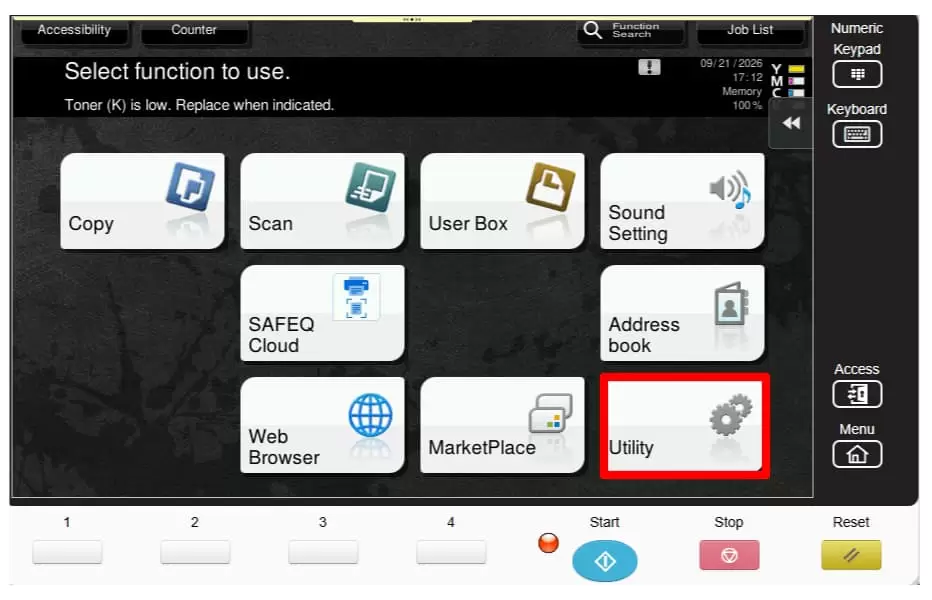
1. From the home screen, touch [Utility]
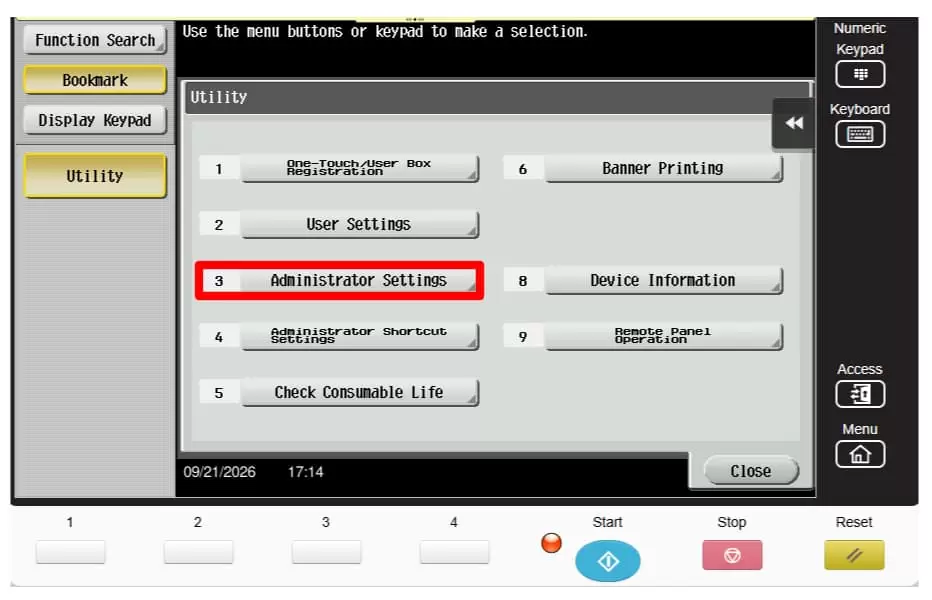
2. Select [Administrator Settings]
3. Enter the password and touch [OK]
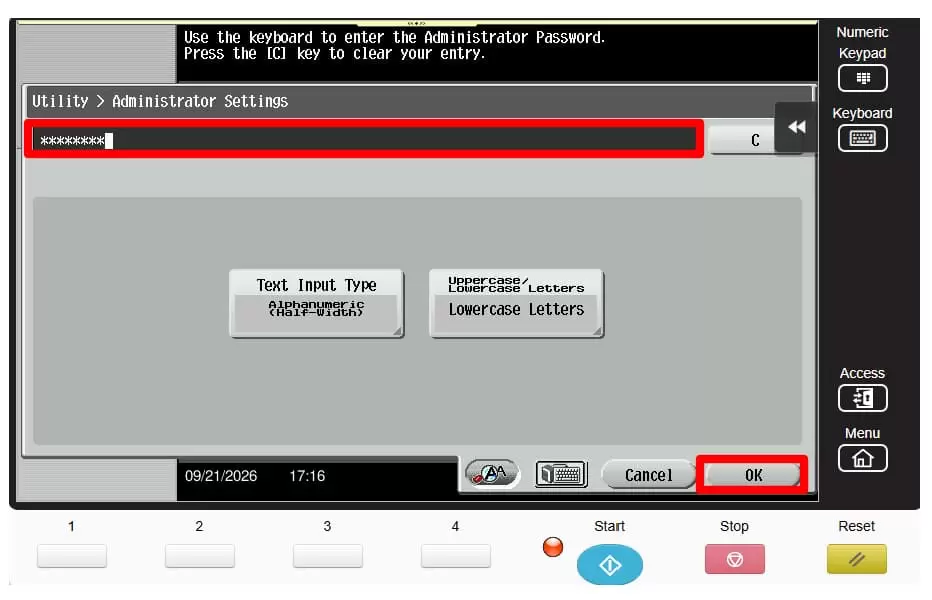
4. You are now in Admin Mode and can continue to the following steps
Step 2: Configure daylight savings time (DST)
The device's automatic Daylight Saving Time (DST) adjustment must be disabled to prevent future automatic time changes.
1. Enter Admin Mode
2. Touch [System Settings]
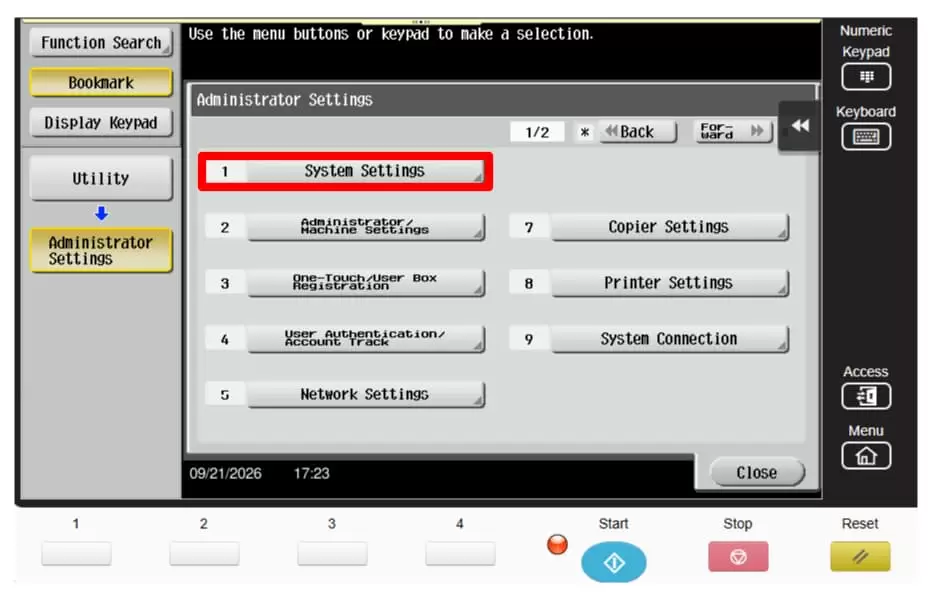
3. Select [Daytime Saving Time]
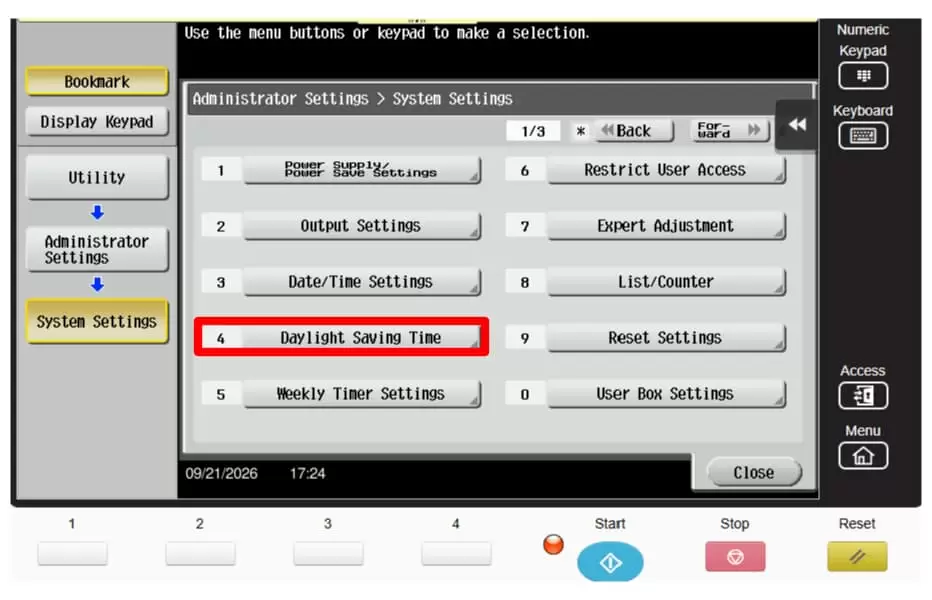
4. Select [Enable Settings]
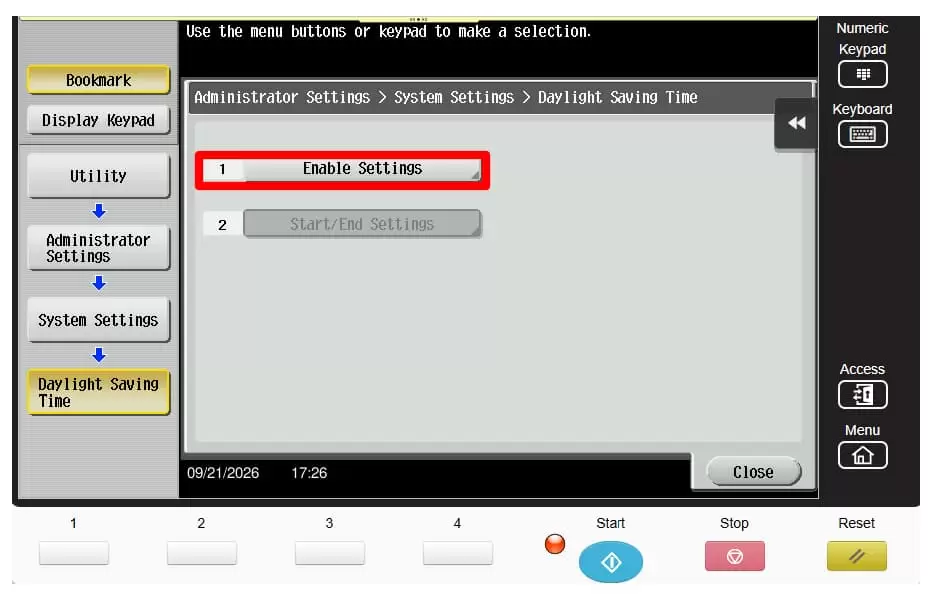
5. Select [No] and touch [OK]
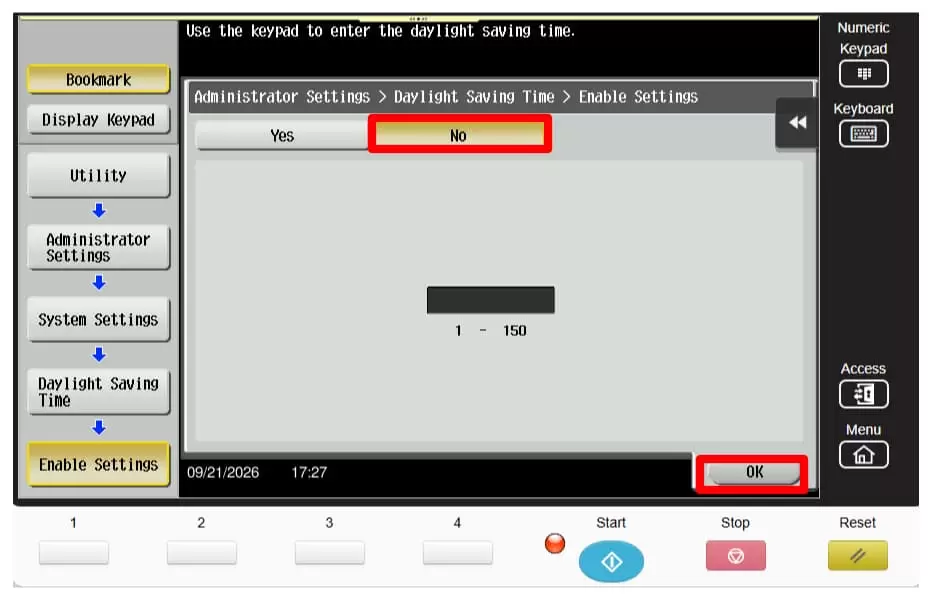
If your times are correct, you may stop here and return to the home screen (press reset). If your times are incorrect, continue to the next steps.
Important: Manitoba will remain on a time zone equivalent to UTC-5 year-round. If your device is currently configured for UTC-6, update the Time Zone setting to UTC-5 will help ensure accurate timekeeping. This can be set by following the instructions in the next section for “Set the time”.
Step 3: Set the time
If the displayed date or time is incorrect, you will need to update it.
1. Access Admin Mode
2. Select [System Settings]
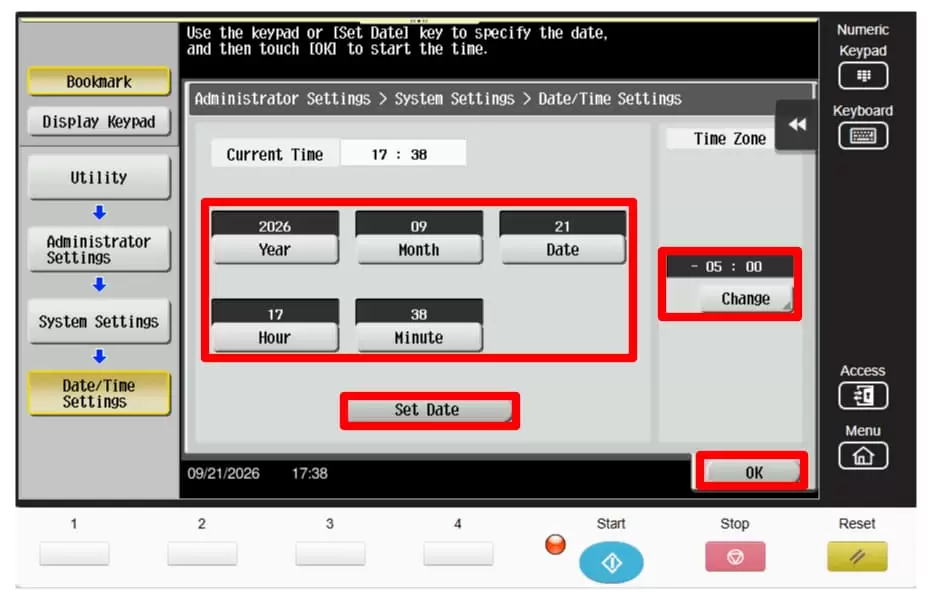
3. Select [Date/Time Settings]
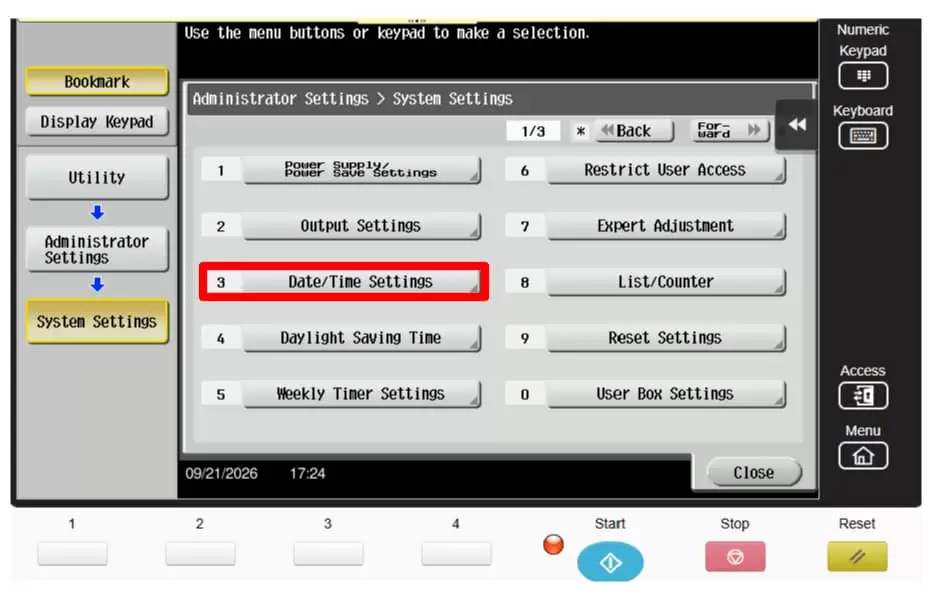
4. Enter the current date and time, and the time zone then touch [Set Date]
Note: The device uses a 24-hour time format. Ensure the Time Zone setting is configured to UTC-5
5. Touch [OK]