You will often find that access to Admin Mode is required when working on your Bizhub i-Series machine. The administrator password will be required to access admin mode. If you do not know the password, please contact your system administrator.
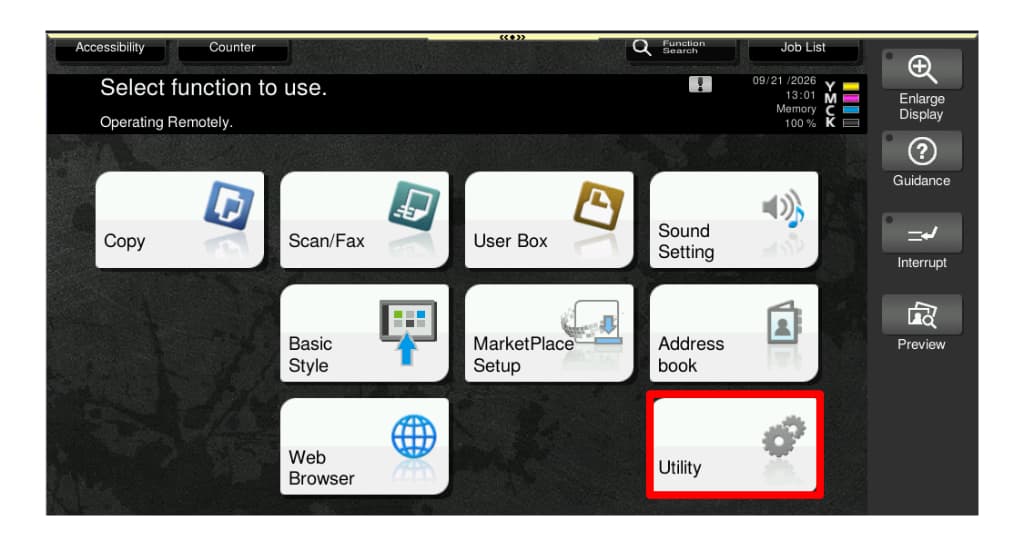
Step 1: From the home screen, touch [Utility]
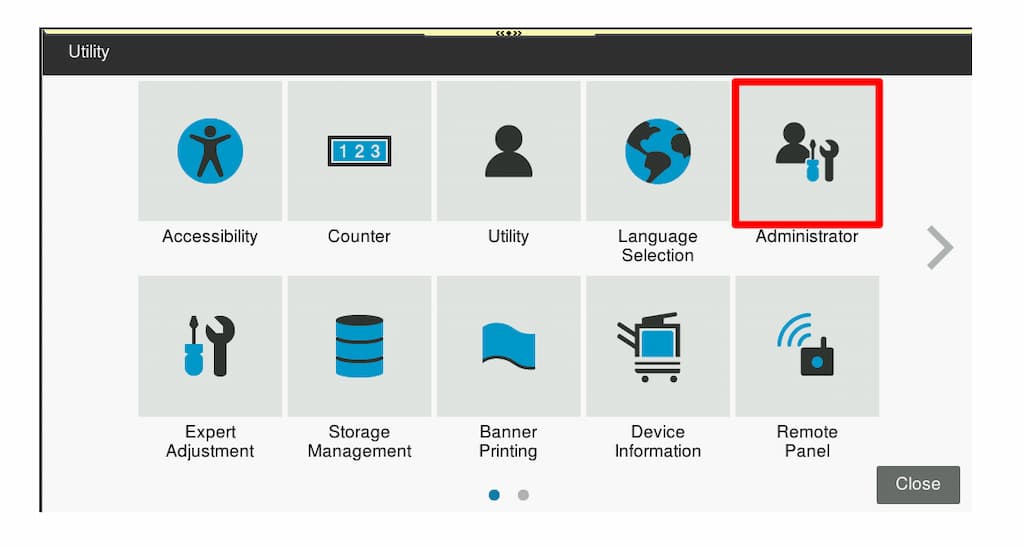
Step 2: Select [Administrator]
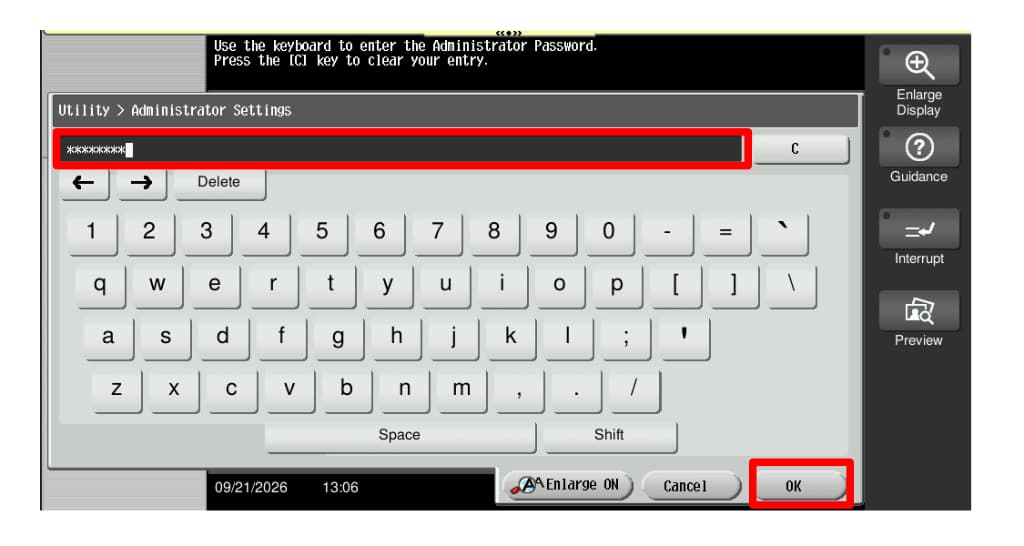
Step 3: Enter the password and touch [OK]
You are now in Administrator Mode.