
The IP address is required when accessing the copier's web interface, installing print drivers or troubleshooting network connectivity.
Procedure
Step 1: Open the Utility Menu
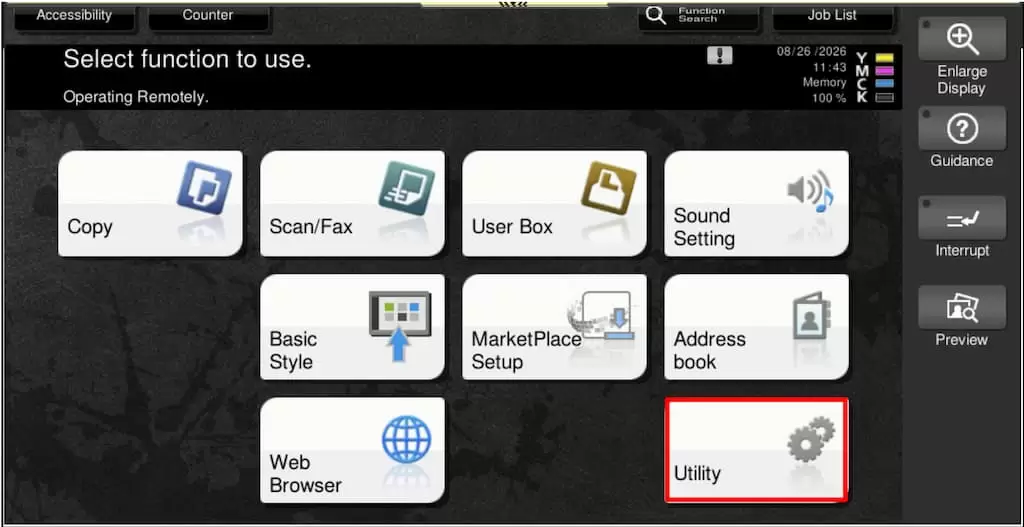
From the copier's Home screen, touch Utility.
Step 2: Open Device Information
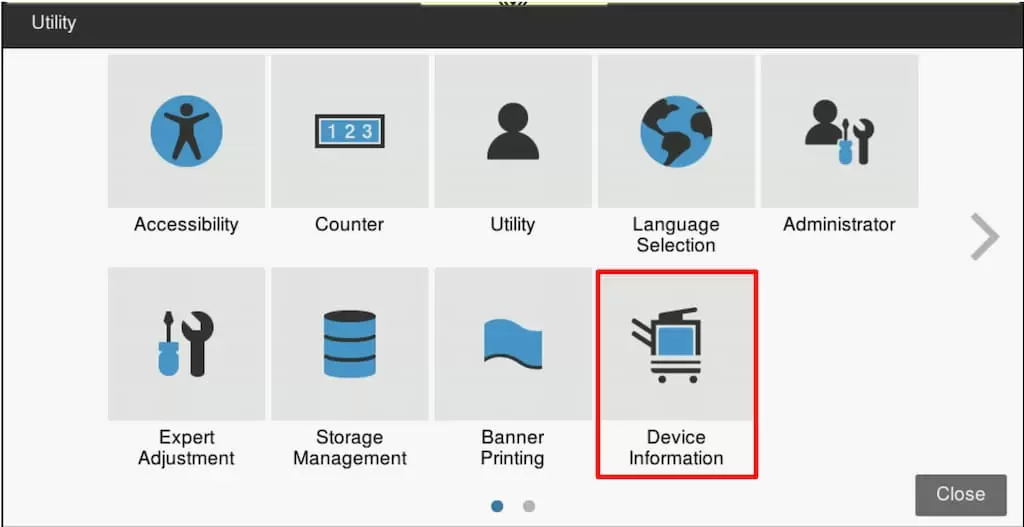
In the Utility menu, touch Device Information.
Step 3: Locate the IPv4 Address
The copier's network address will be displayed next to the IPv4 address.
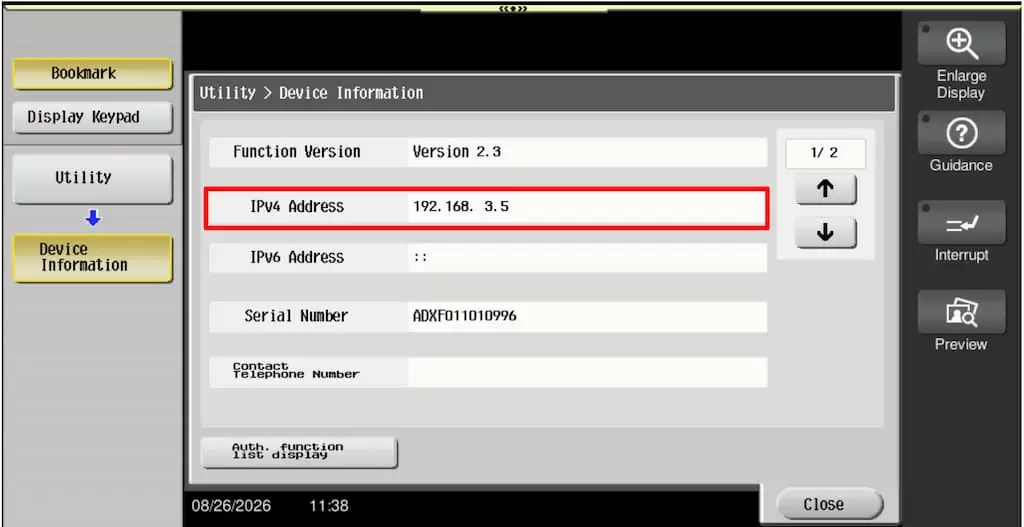
In the example shown above, the IPv4 address is 192.168.3.5.
Notes
Need the copier's web page? Open a web browser and enter the IPv4 address into the address bar (for example: http://192.168.3.5)